
English
Modify the Signatory's Information (eZsign Web Version)
Modify the Signatory’s Information
Here’s how to do it in eZsign:
- From the main menu, select eZsign Folders.
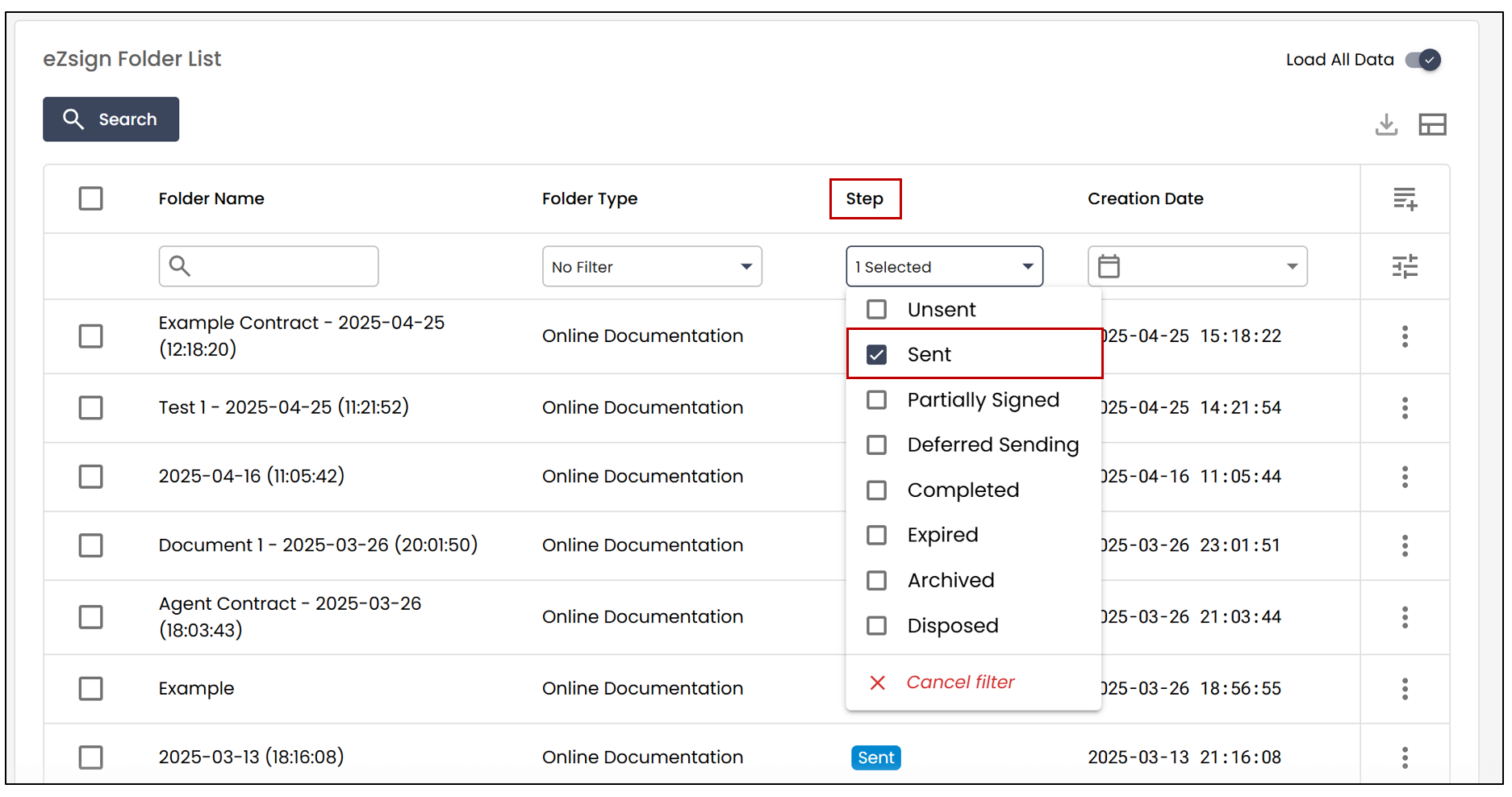
- Add the Sent filter under Step , then select the desired folder.
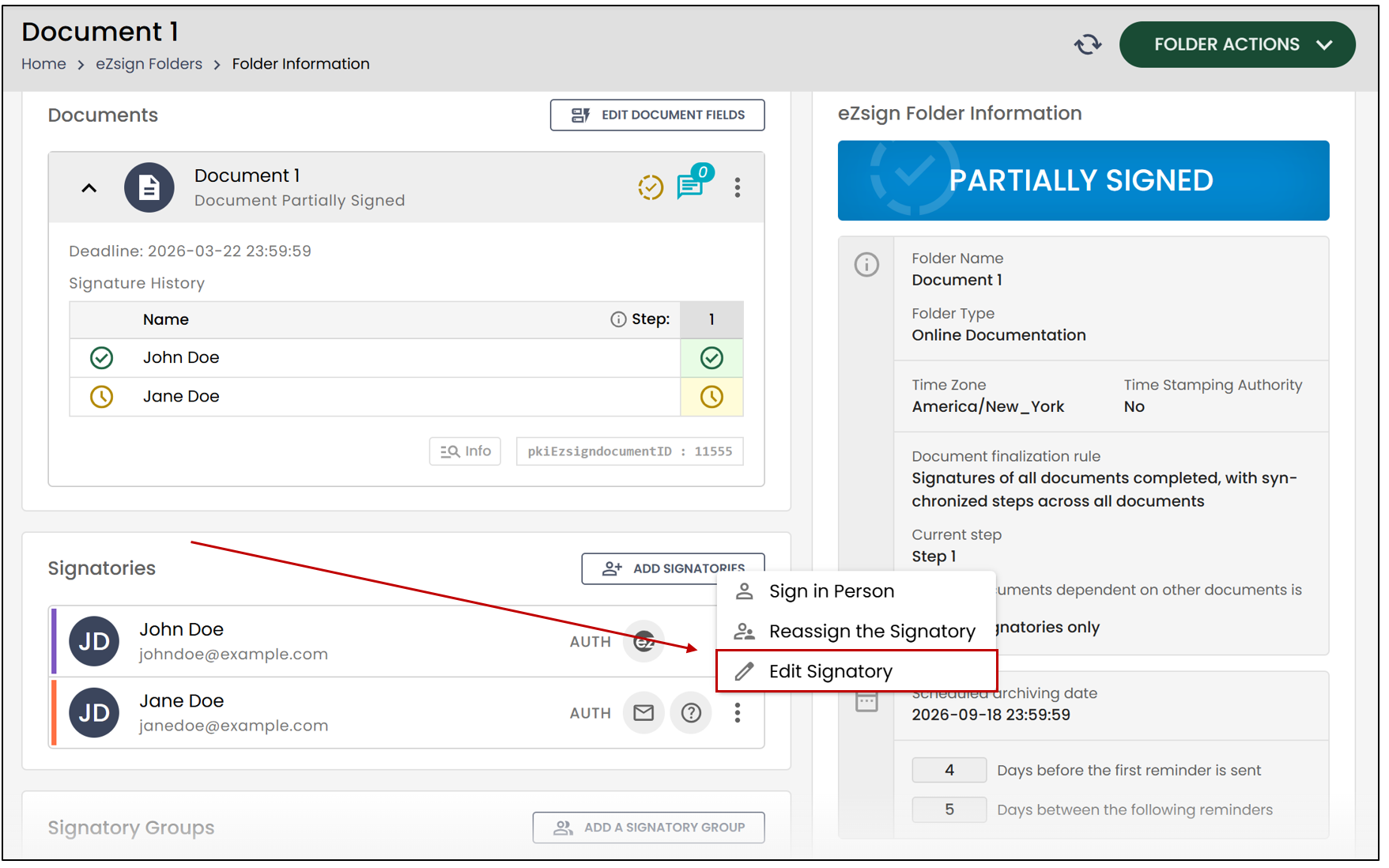
It is always possible to modify a signer’s contact information for a sent folder from the Signatories section.
- Click on the

icon, then select Edit Signatory.
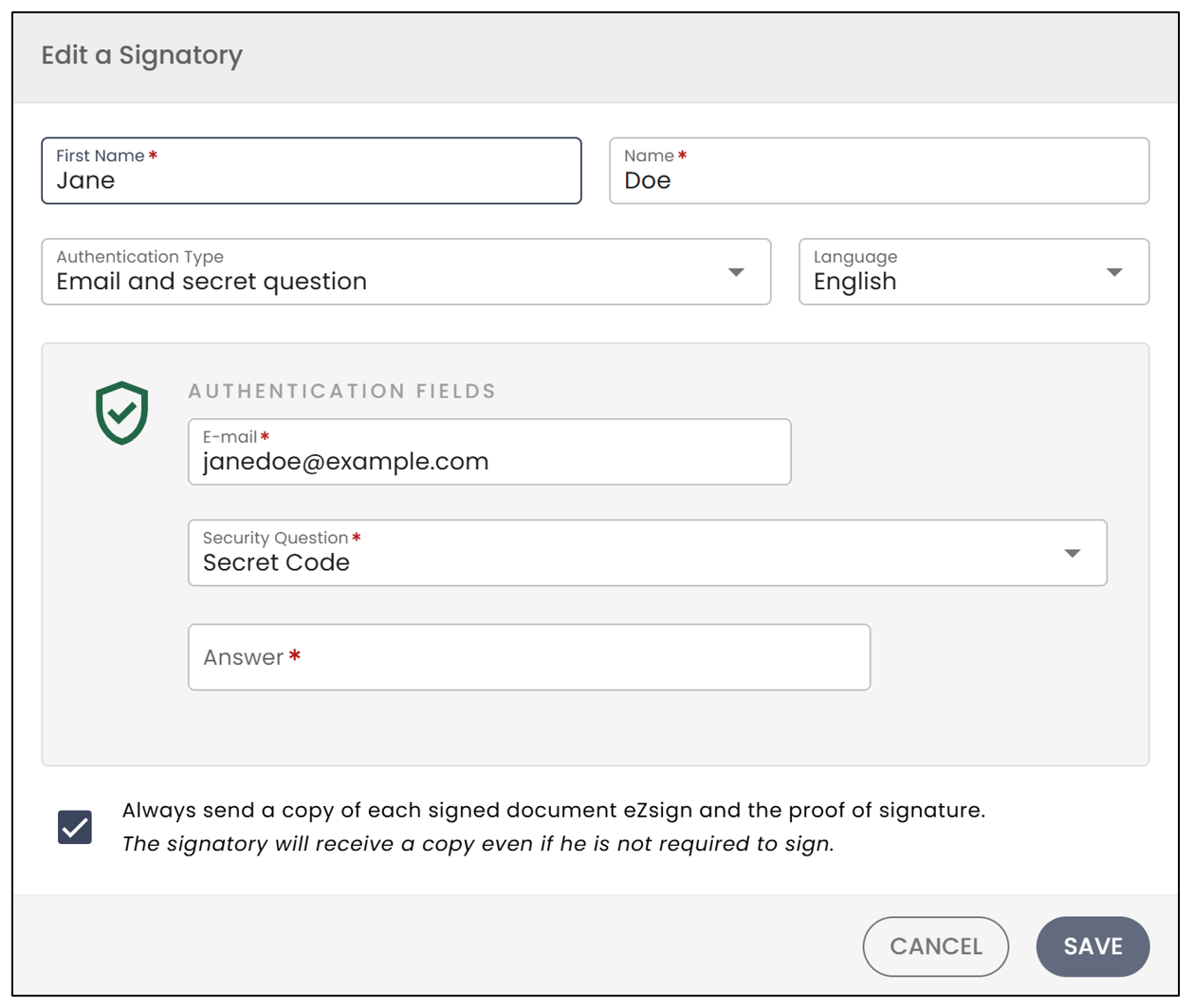
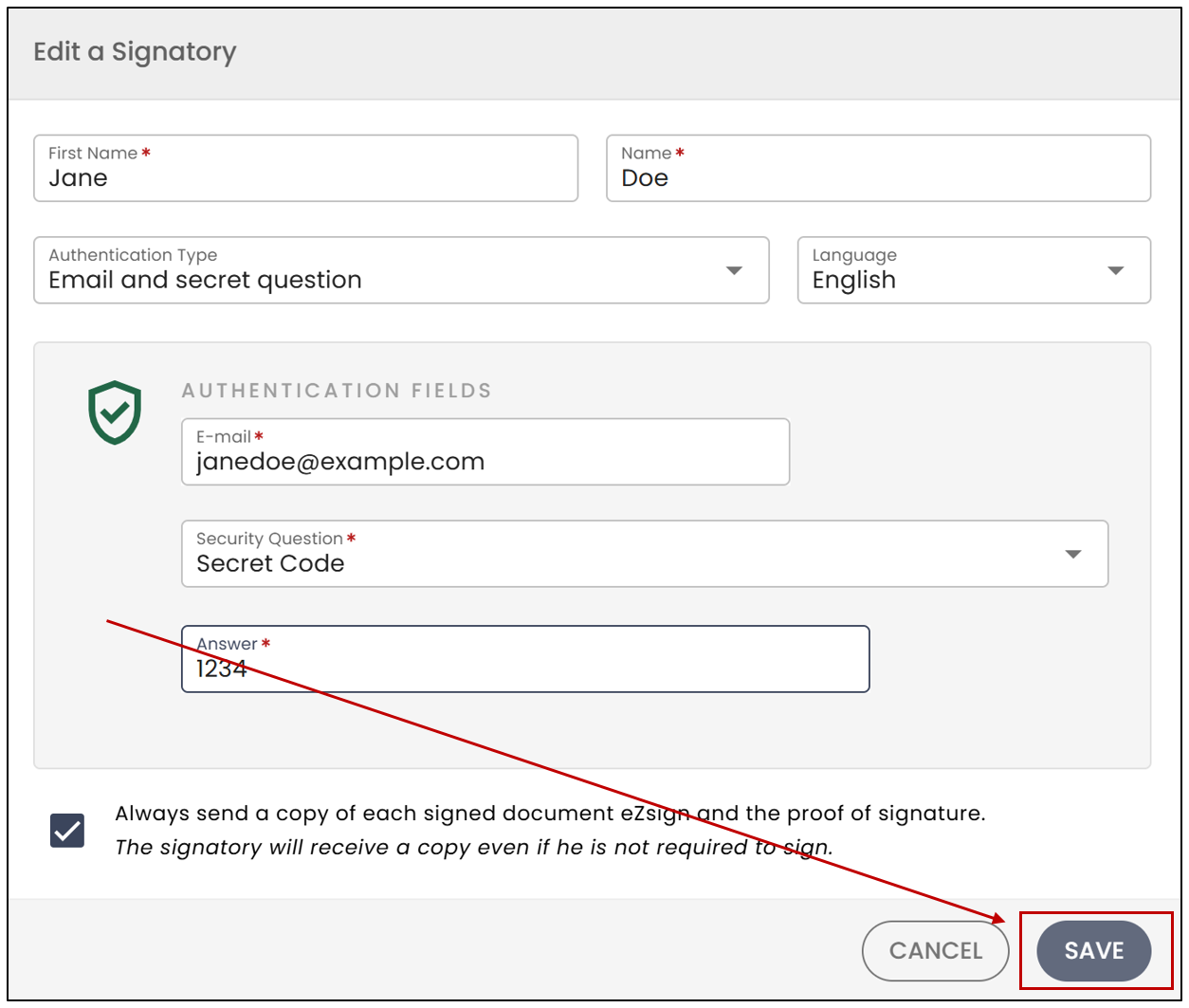
- You will be able to edit the First Name , Last Name , and Language.
NOTE: The fields have character limits. The first name is limited to a maximum of 20 characters , and the last name to a maximum of 25 characters.
- You can also change the signer’s Authentication Type using the drop-down list.
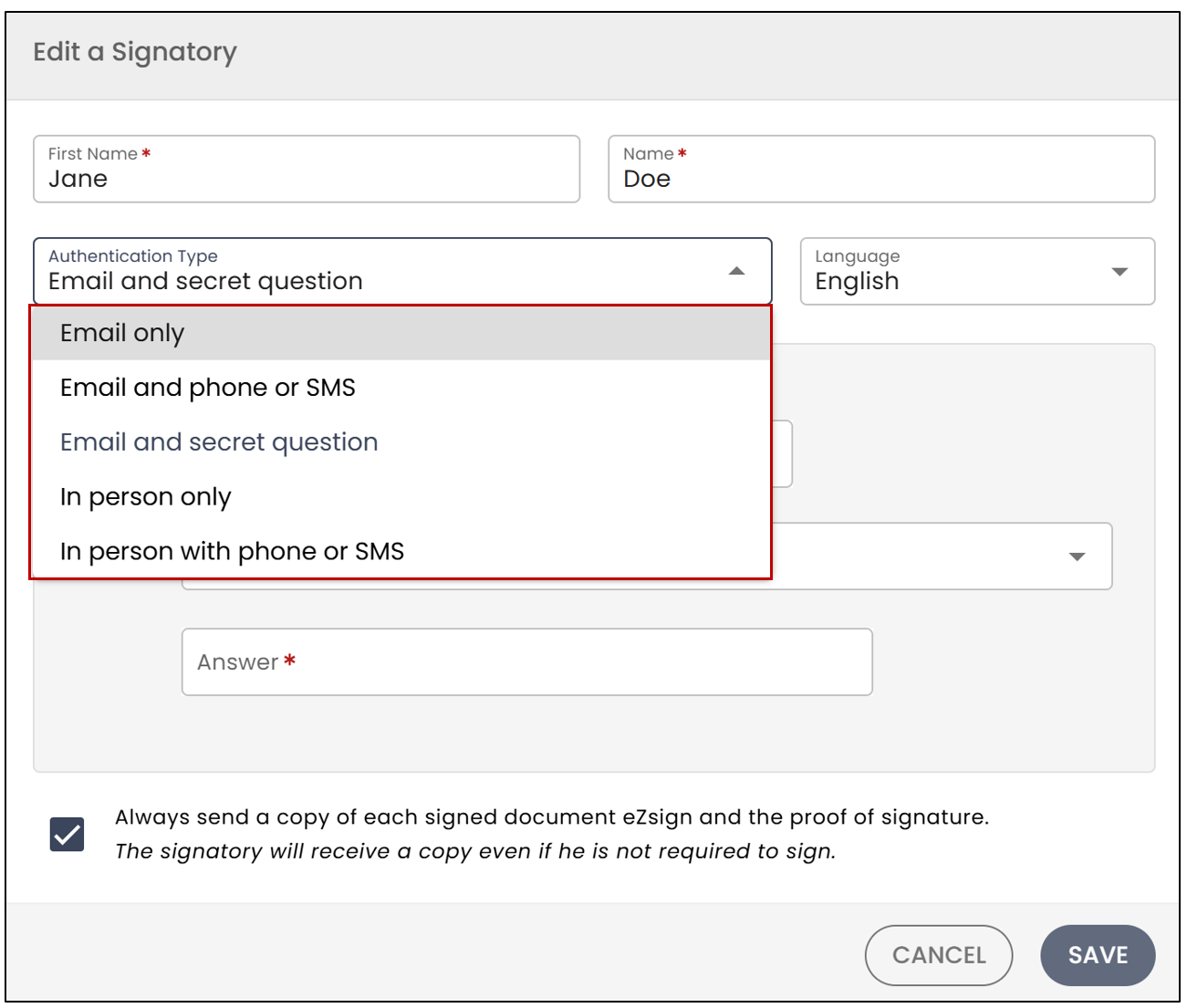
For more information, please refer to the article Types of Signatory Authentication.
- When you are finished, click Save.
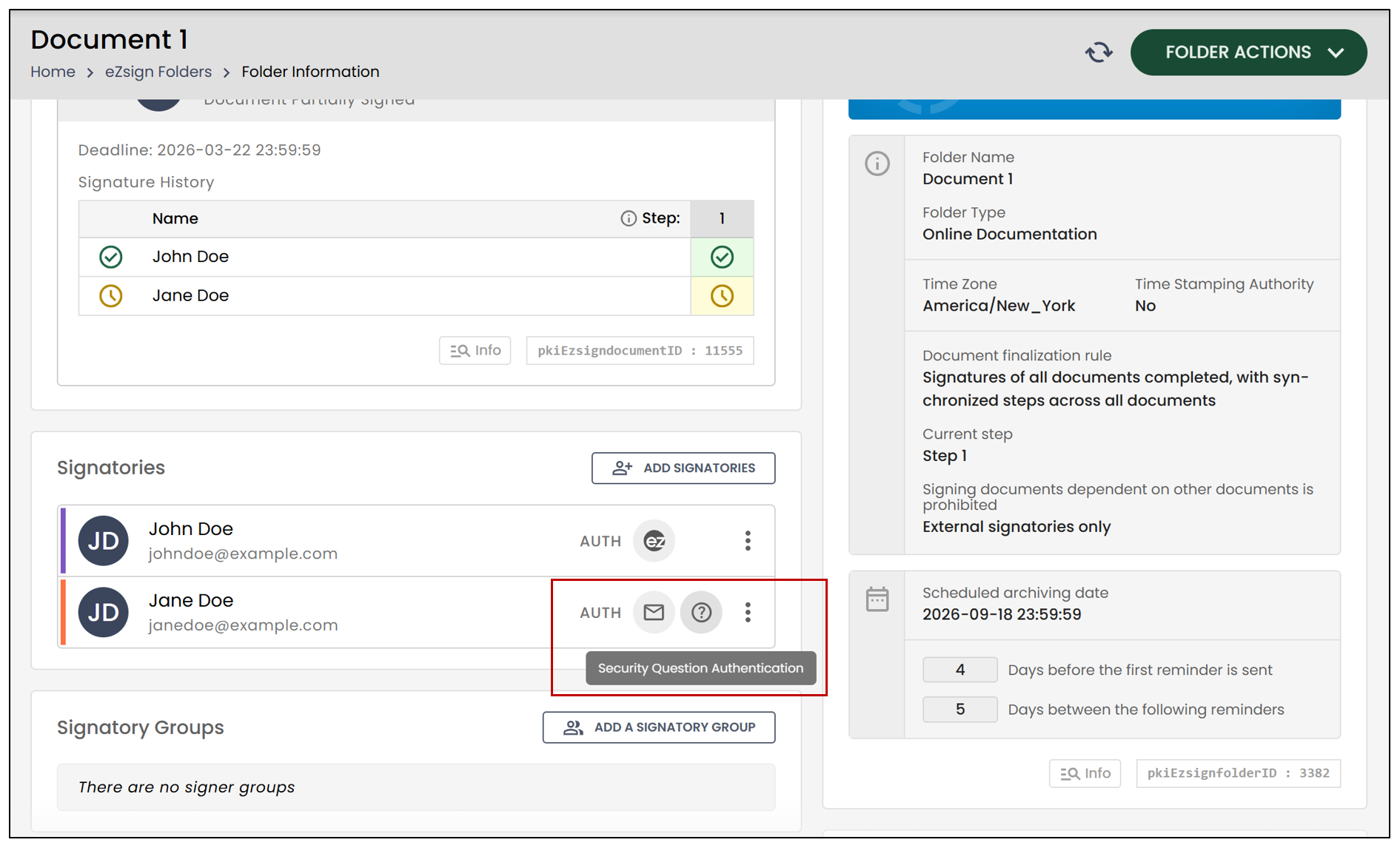
- You will find the authentication type to the right of the signer.
NOTE: If you have modified a signer’s email address, for example, because there was an error, make sure to resend the folder.
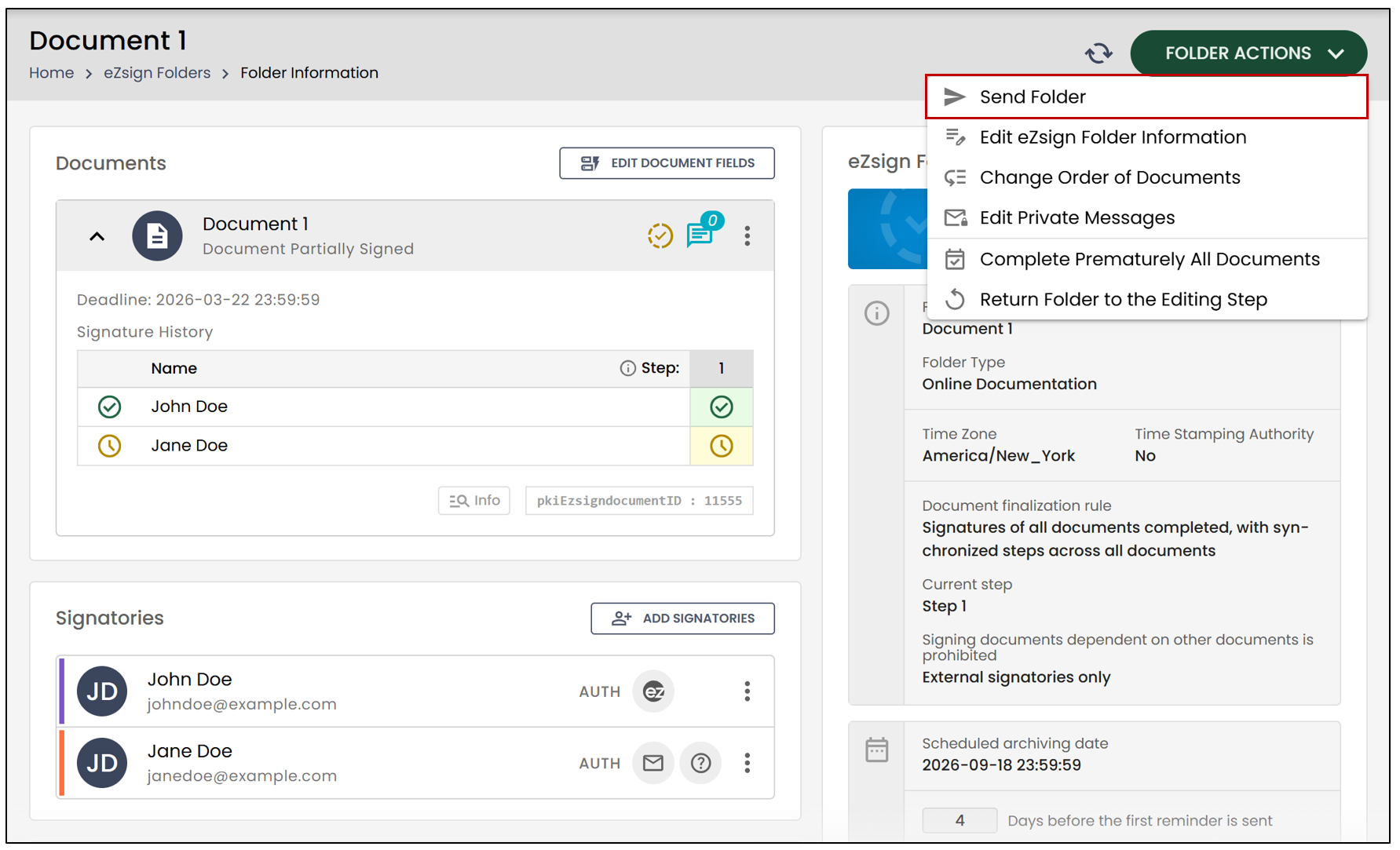
- To resend the folder, click on the downward arrow, then select Send Folder.