
English
Form and Signature Fields Merge
Fields merge has been integrated to optimize the electronic signing process and simplify the signers’ experience. When multiple signers need to complete form fields, each person can now fill out their section and sign immediately, without waiting for the other signers to complete their documents.
This allows for a smoother and more efficient process: each signer can complete the form and apply their signature in a single submission, reducing delays and making it easier to finalize the document.
Process Prior to the Update
Before the update, the completion and signing process for multiple signers occurred in two distinct stages. Each signer first had to fill out the form fields, then wait for the other signers to complete their responses before being able to apply their signature. This sequence created a mandatory chain and could extend processing times, as signing was only possible once all form fields had been completed by every signer.
Here is what the process looked like before the update when two signers had both form fields and signature fields:
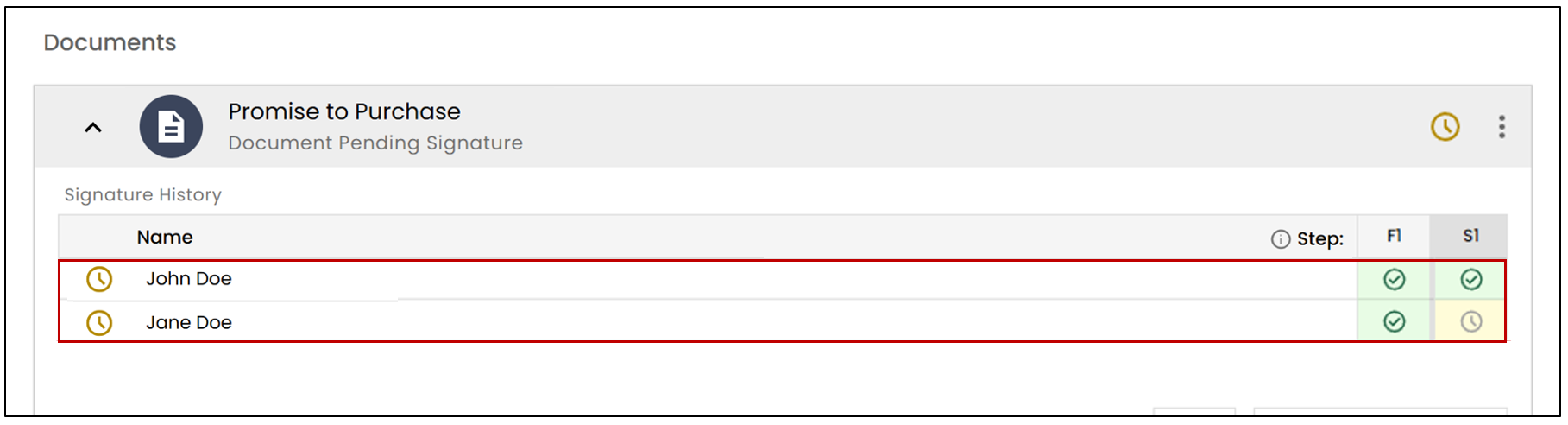
The form fields had to be completed by all signers before proceeding to the signature stage.
Form and Signature Fields Merge
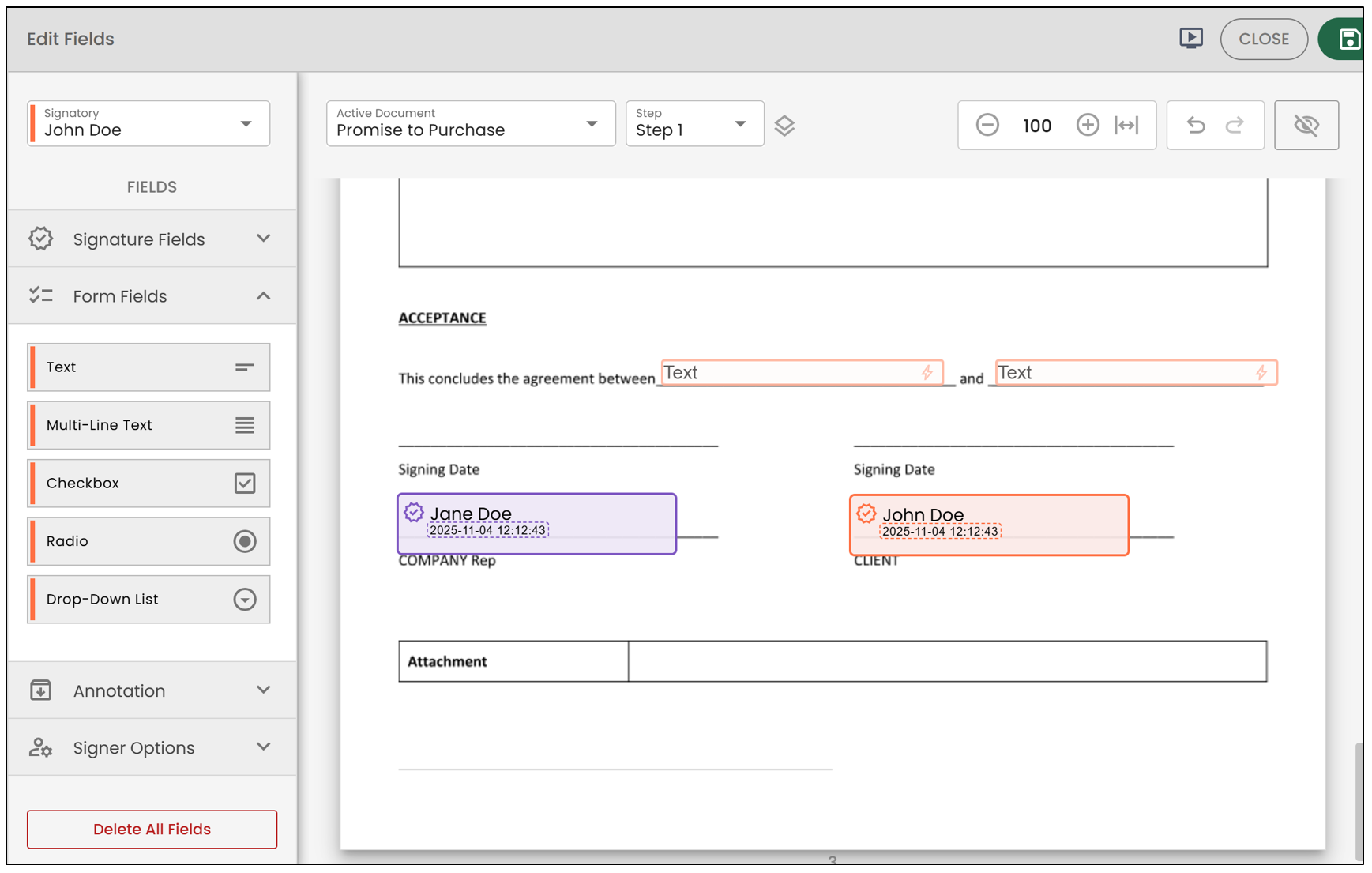
Thanks to the fields merge, the completion and signing process is now significantly simplified. Each signer can now fill out the form fields assigned to them and proceed immediately to signing, without having to wait for the other signers to complete their own fields. As a result, upon receiving the document, each signer can complete the form and finalize their signature in a single step.
In this example, John and Jane Doe each have form fields to complete as well as a signature field:
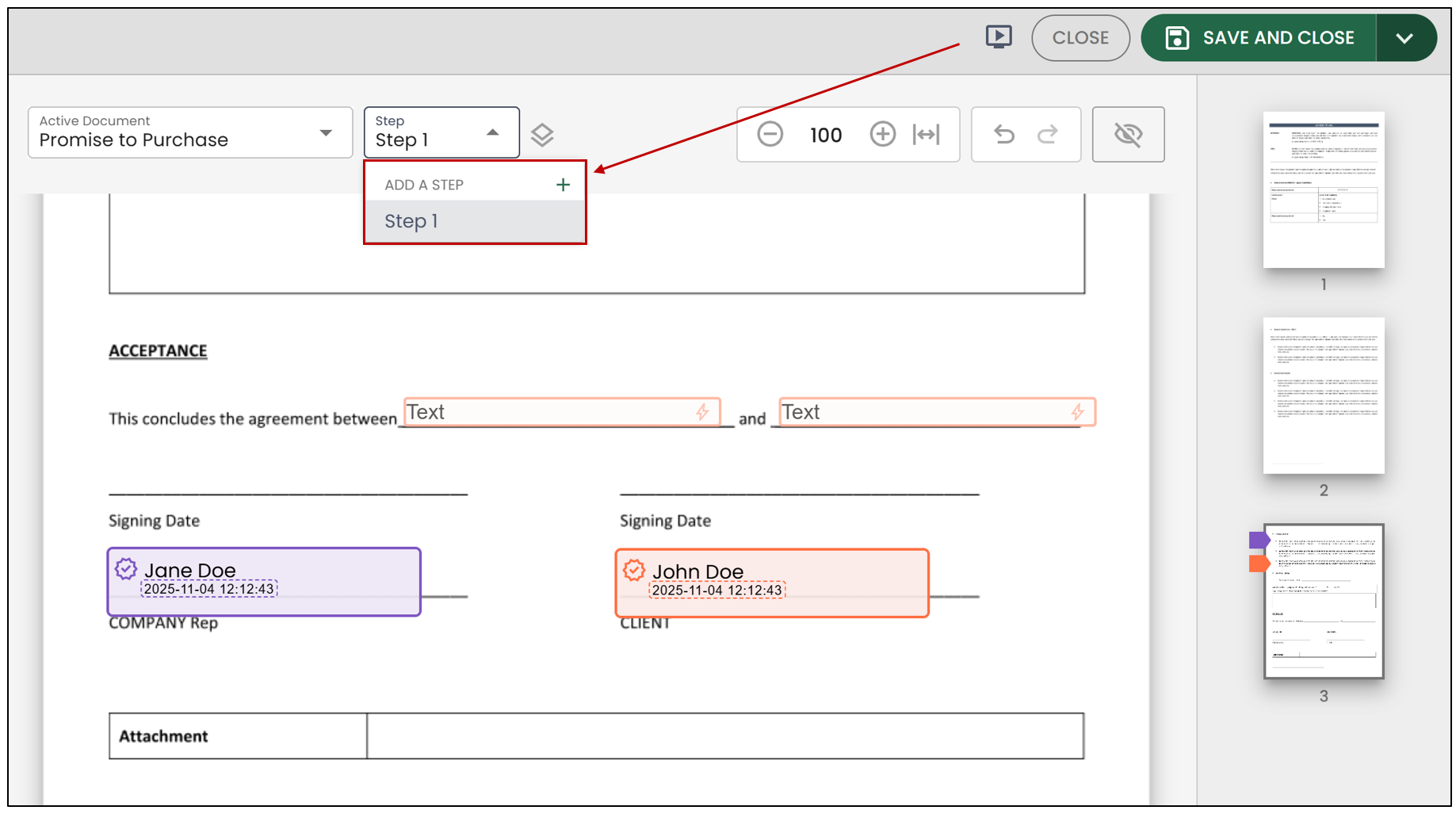
NOTE: If you wish to have John and Jane Doe sign at different stages, you can modify the steps by clicking on Step >> Add a Step.
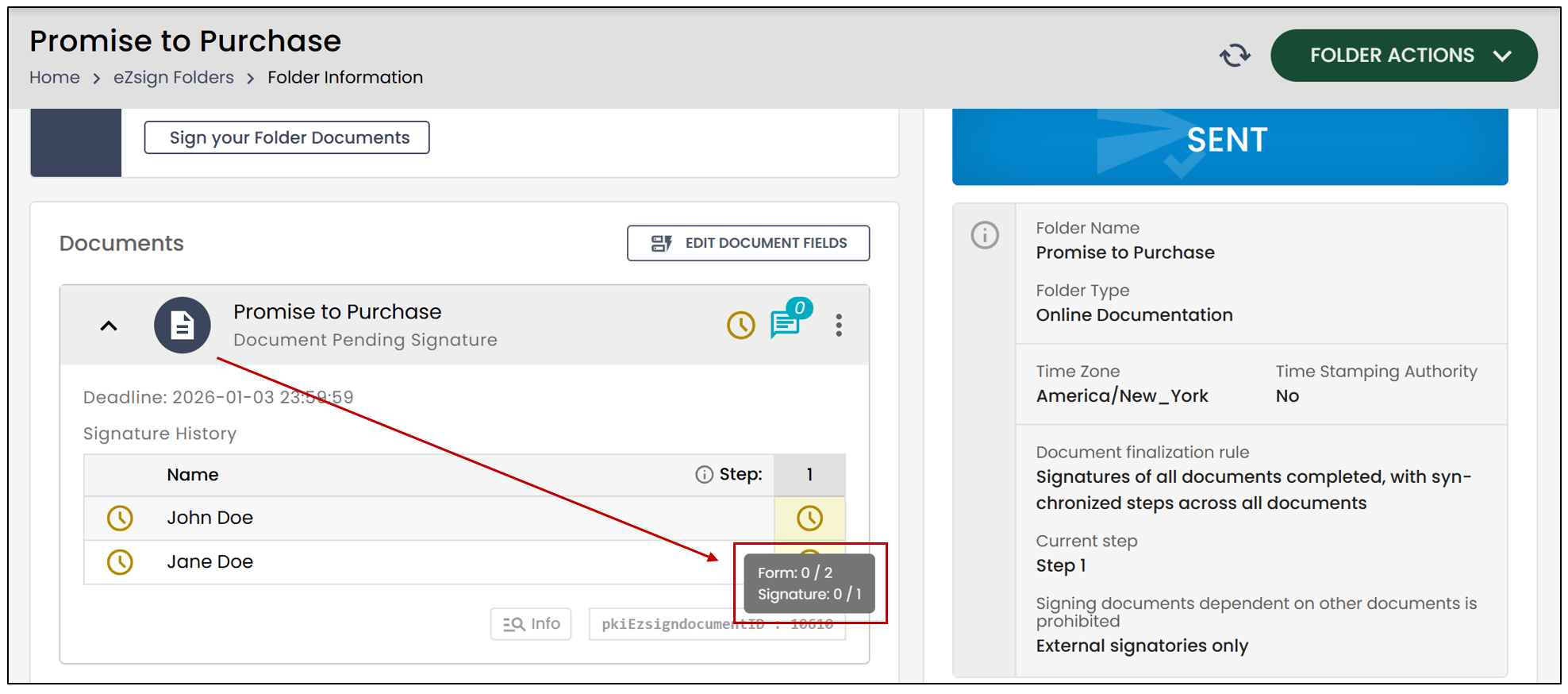
If all form fields and signature fields are set in Step 1, here is what the sending process will look like with the new feature:
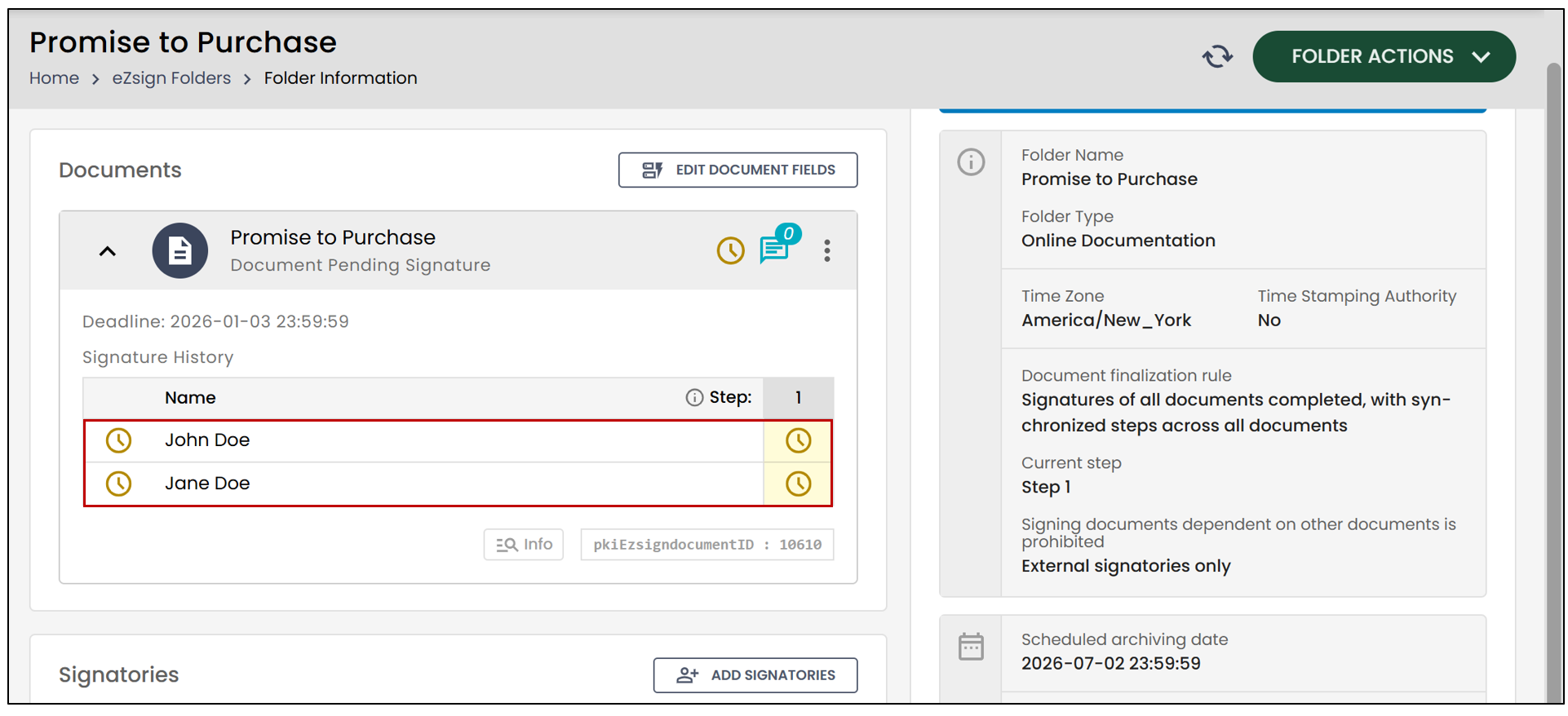
All fields, regardless of type, will be grouped in Step 1, and each signer can now complete the fields assigned to them and sign immediately , without being dependent on the progress of the other signers.
NOTE: By placing your mouse over the icon

, you will be able to view the progress of the separate fields.