
English
FAQ - New ticketing system (eZsign)
Below is a list of frequently asked questions to help you get started with our new ticketing system.
How do I access the ticketing system?
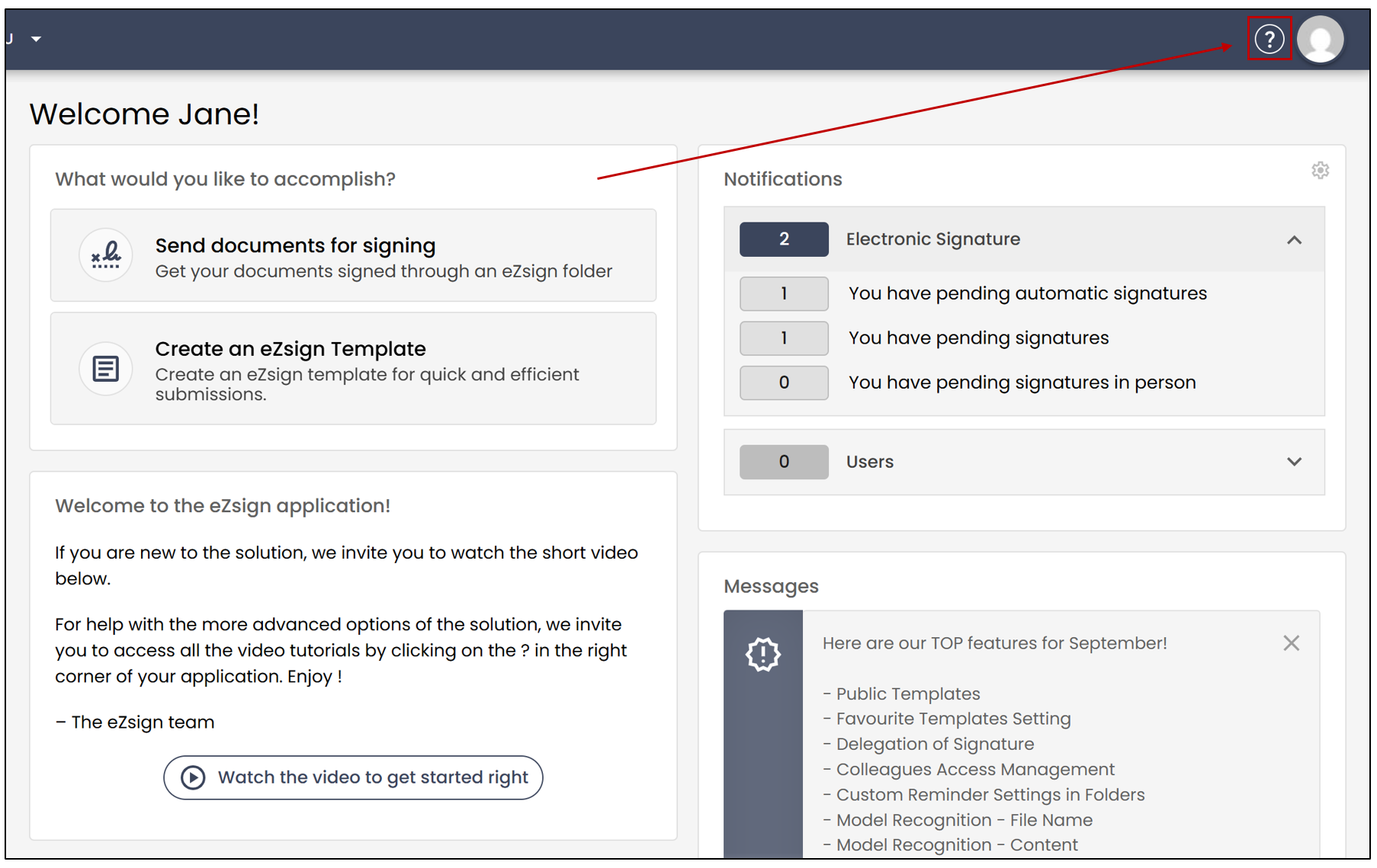
You can access the ticketing system directly from the Support Centre in the platform by clicking on the

icon.
How can I see my current open tickets?
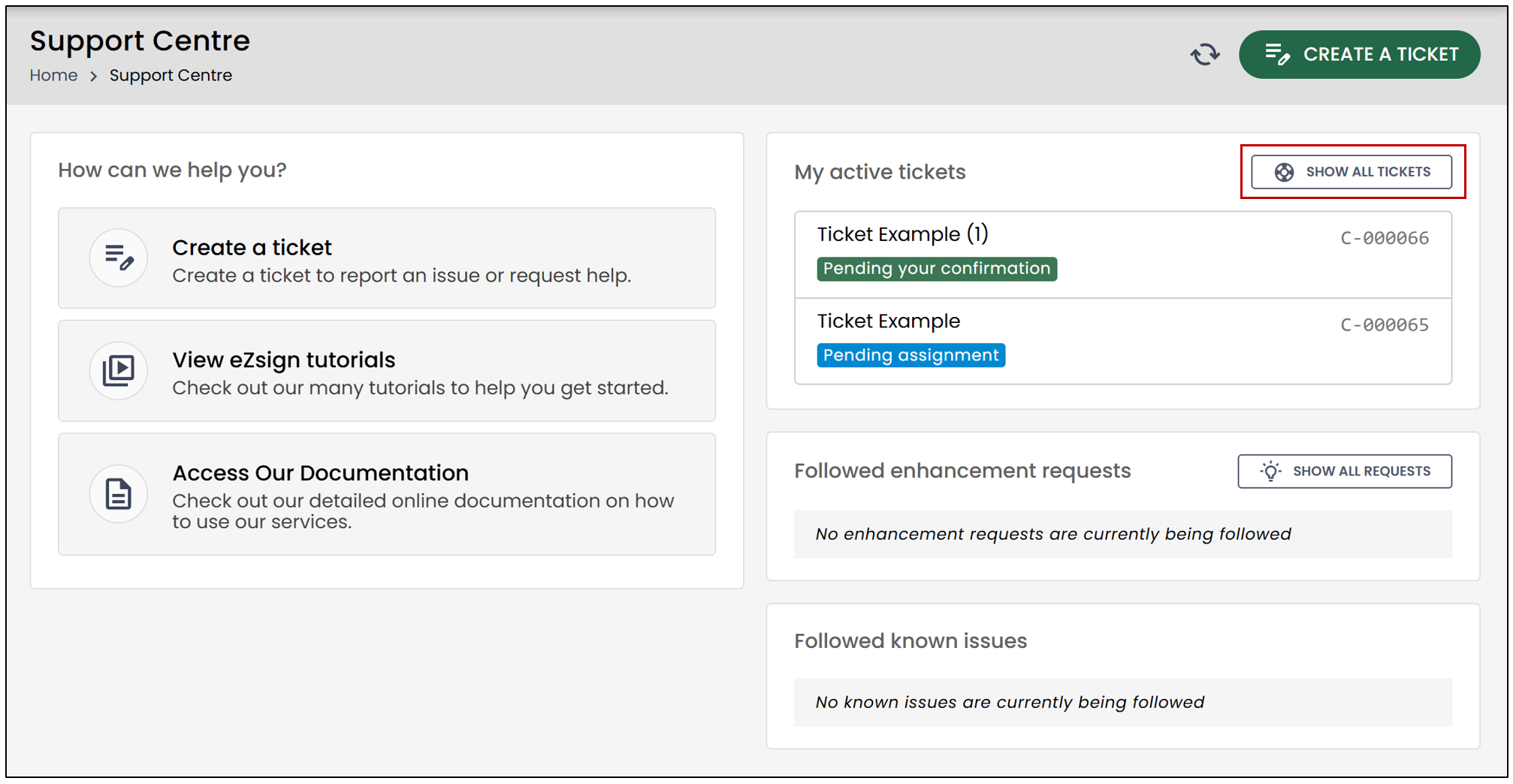
All your open tickets are visible in the Support Centre by clicking Show all tickets**.**
Do I need to close my ticket myself?
Yes, if you are satisfied with the response, we ask that you close the ticket.
If no action is taken, the system will automatically close the ticket after a set period.
Will I be notified before my ticket is closed?
Yes. You will receive multiple email notifications before a ticket is automatically closed.
Can I reopen a ticket?
It depends:
Yes , if you never viewed the response before the ticket was closed.
No , if you viewed the response but did not reply before the ticket was closed. In this case, you will need to open a new ticket.
Can I follow feature requests that I’ve submitted?
Yes. You can follow your feature requests and unfollow them at any time.
Can I still email support?
No. The support email address will no longer be in use. All support requests must be submitted through the ticketing system.
For more information about the new ticketing system, please refer to the following article New Ticketing System (eZsign Web).