

English
Delay Between Email Notifications
The eZsign system automatically applies a waiting period between email sends to prevent recipients from receiving multiple notifications in quick succession when a file progresses rapidly.
This mechanism helps optimize communication while avoiding email overload for the same user.
General Functioning
When a document moves to the next step (e.g., a signature is applied or a form is completed), eZsign sends a signing invitation by email to the recipients involved in that new step.
Recipients can be:
signers ,
system users ,
or user groups (in which case the email is sent to the address associated with the group).
Application of the Waiting Period
When eZsign sends an email to a recipient for an eZsign folder, a one-hour waiting period is activated for that recipient within that folder.
During this period:
No other emails will be sent to the same recipient, even if other documents move to a step requiring their action.
This waiting period applies only to the same folder.
Example Scenario
In this example, Jane is the designated signer at step 1 for the three documents in the file.
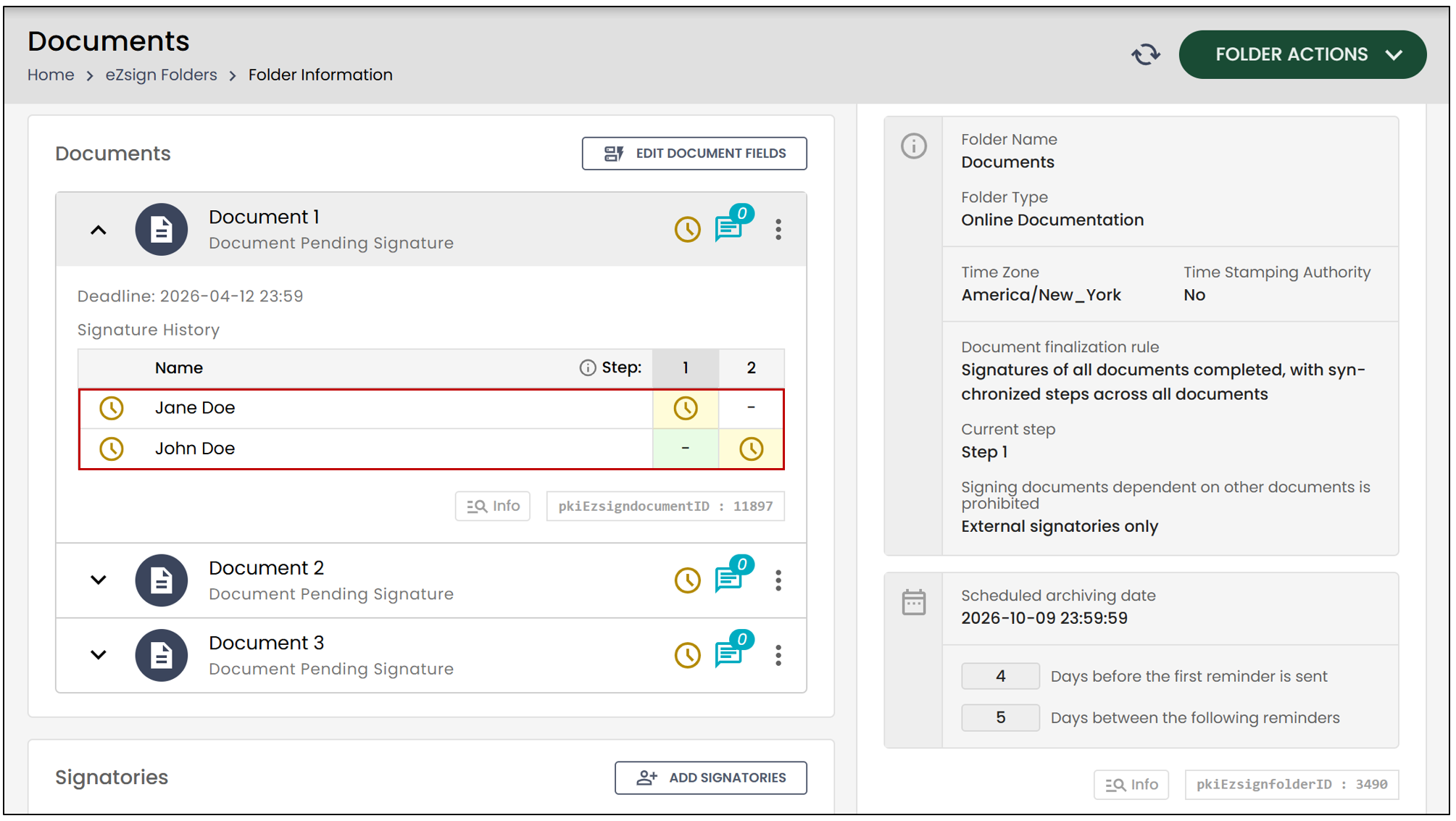
When she signs the first document , John, the signer at step 2, will receive an email notification informing him that a document is waiting for his signature.
If Jane signs a second document a few minutes later, John will not receive another email because a one-hour waiting period is in effect.
However, if Jane signs a third document 90 minutes after the first , John will receive a new notification since the waiting period will have expired.
NOTE: This system prevents sending too many emails to the same user and allows for more effective communication.
End of the Waiting Period
The waiting period ends in the following cases:
An external signer logs into their signing link.
A system user accesses the signing page.
One hour has passed since the last email was sent.